Output parameters
A simple analytical example is included to demonstrate how to use piglot to find the minimum value of an analytical expression using the output_parameters functionality.
In this case, we aim to find the parameters a and b that minimise an analytical expression given by \(f(x) = \sinh(a) + b\sin(a) - a/b\). The parameter a has bounds [-10,0] and the parameter b has bounds [1,25000]. Given the wide bounds of the parameter b it is convenient to optimise this parameter in a logarithmic scale.
Within this setting, the parameter b is expressed in terms of a new parameter b_in, such that b: exp(b_in). The parameter b_in is the one used for optimisation and has bounds given by [0,10] (the upper bound is round off for simplicity).
We run 10 iterations using the botorch optimiser (our interface for Bayesian optimisation).
The configuration file (examples/output_parameters/config.yaml) for this example is:
iters: 10

optimiser: botorch


parameters:
  a_in: [-5,-10, 0]
  b_in: [5,  0, 10]

output_parameters:
  a: a_in
  b: exp(b_in)

objective:
  name: analytical
  expression: sinh(a) + b * sin(a) - a/b
Note that all parameters in parameters have to be defined in output_parameters.
To run this example, open a terminal inside the piglot repository, enter the examples/output_parameters directory and run piglot with the given configuration file
cd examples/output_parameters
piglot config.yaml
You should see an output similar to
BoTorch: 100%|████████████████████████████| 10/10 [00:00<00:00, 12.47it/s, Loss: -2.3354e+04]
Completed 10 iterations in 0.80208s
Best loss: -2.33544803e+04
Best parameters
- a_in:    -7.918022
- b_in:    10.000000
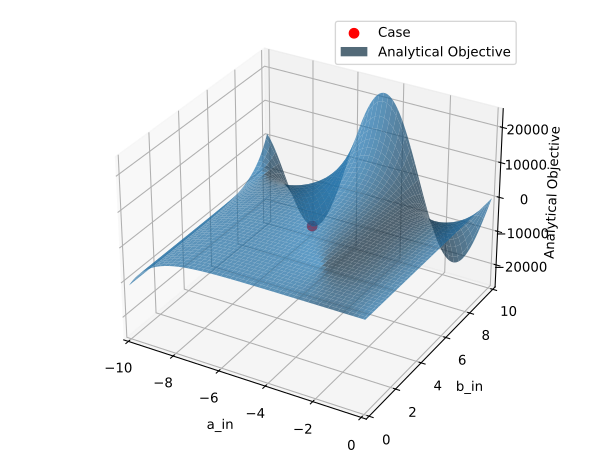
As shown below, this solution is the optimal solution for the analytical function under analysis.
To visualise the optimisation results, use the piglot-plot utility.
In the same directory, run
piglot-plot best config.yaml
Which will display the best observed value for the optimisation problem. You should see the following output in the terminal
Best run:
Start Time /s    0.444681
Run Time /s       0.00003
a_in            -7.918022
b_in                 10.0
Name: 14, dtype: object
Hash: 71f2861f23499f09cec45132333db6a83697bd061314cf1b863a1789cc466123
Objective: -2.33544803e+04
The script will also plot the best observed response, and its comparison with the reference response:
Now, try running (this may take some time)
piglot-plot animation config.yaml
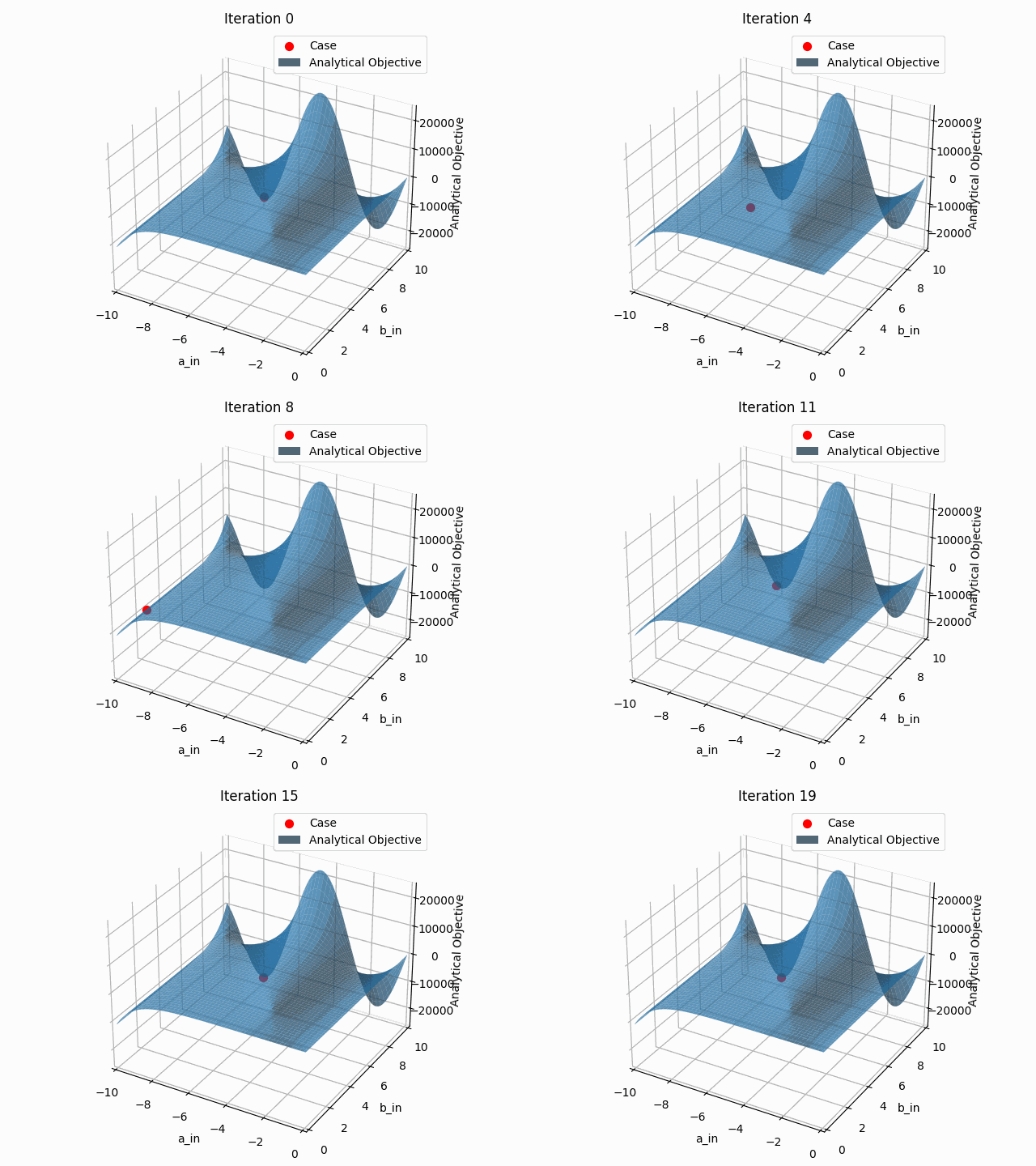
This generates an animation for all the function evaluations that have been made throughout the optimisation procedure.
You can find the .gif file(s) inside the output directory, which should give something like: